


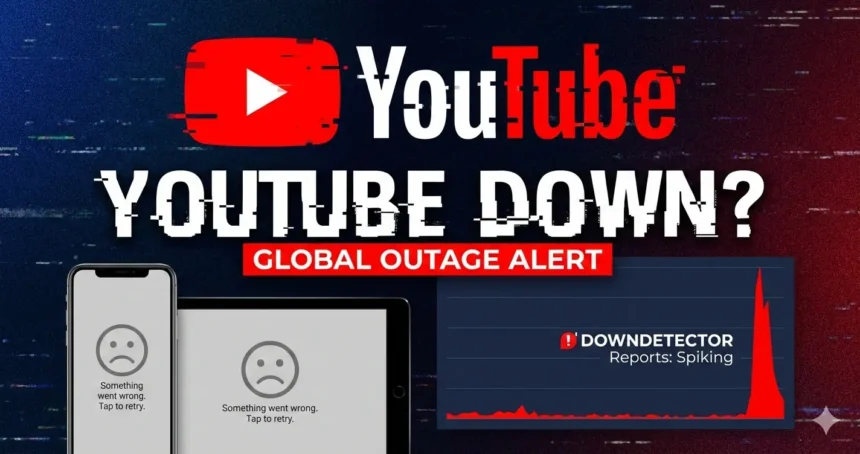
Millions of users searching “YouTube down,” “YouTube not working,” “YouTube outage,” and “is YouTube down right now?” weren’t imagining it: YouTube suffered a widespread disruption that caused parts of the platform to fail across the YouTube app and YouTube.com, with many people seeing blank homepages, missing video feeds, or the message “Something went wrong.”
What happened to YouTube?
According to YouTube’s own update, the outage was linked to an issue in its recommendation system, which prevented videos from appearing across YouTube surfaces (places like the homepage and feeds). YouTube said the problem has been resolved, and service returned to normal across its products.
Was YouTube down in the USA?
Yes the disruption hit hard in the United States. At its peak, Downdetector logged more than 320,000 user reports in the U.S. tied to YouTube problems.
Keep in mind: Downdetector is based on user-submitted reports and location signals, so the exact number of affected users can differ from the report count.
YouTube outage: what users experienced
During the outage window, common complaints included:
- YouTube home page not loading
- YouTube app not working / YouTube not loading
- “Something went wrong” error screens
- Missing Subscriptions feed, Shorts, or recommended videos
- Issues showing up across YouTube Music, YouTube Kids, and YouTube TV for some users
Is YouTube TV down? What about YouTube Music?
YouTube’s update said all major platforms were back to normal, including YouTube.com, the YouTube app, YouTube Music, Kids, and TV.
Some reporting and user trackers showed spikes for YouTube TV around the same time as the main outage, but the core issue appeared to be centered on YouTube’s main experience and recommendations.
Why is YouTube not working right now?
If you’re still having trouble after the outage was declared fixed, it’s often one of these:
- App cache / temporary glitch
- Outdated YouTube app
- Network/DNS hiccup (Wi-Fi, mobile data, or router)
- A device-level issue (smart TV app stuck, phone needs restart)
Quick fixes to try (safe, official-style troubleshooting)
These are standard steps YouTube recommends for playback/loading issues and “Something went wrong” errors:
- Update the YouTube app
- Close and reopen the app
- Restart your phone/tablet/TV device
- Try switching internet connection (Wi-Fi ↔ mobile data)
- On TV: quit and reopen the YouTube app, then restart the device
How to check YouTube server status fast
When people search “youtube server status,” “are youtube servers down,” or “youtube status,” here are the quickest reality checks:
- Downdetector (YouTube): If reports spike sharply, it’s likely widespread. Downdetector aggregates user reports and other signals to detect incidents.
- Official updates: YouTube often posts incident updates through official channels and statements (major outlets will quote them quickly).
- Compare services: If only your device is failing (and report spikes are low), it may be local rather than a global outage.
YouTube outage today: timeline (what we know)
Reports surged Tuesday evening in U.S. time, with large spikes on outage trackers, then gradually normalized after YouTube confirmed a fix. Coverage also noted the outage affecting multiple regions outside the U.S.
When will YouTube be back up?
YouTube said the recommendation-system issue was resolved and that services were back to normal across YouTube’s major platforms. If your account or device is still broken, try the quick fixes above (especially restart + update), or test YouTube on another device/network to confirm whether it’s local.